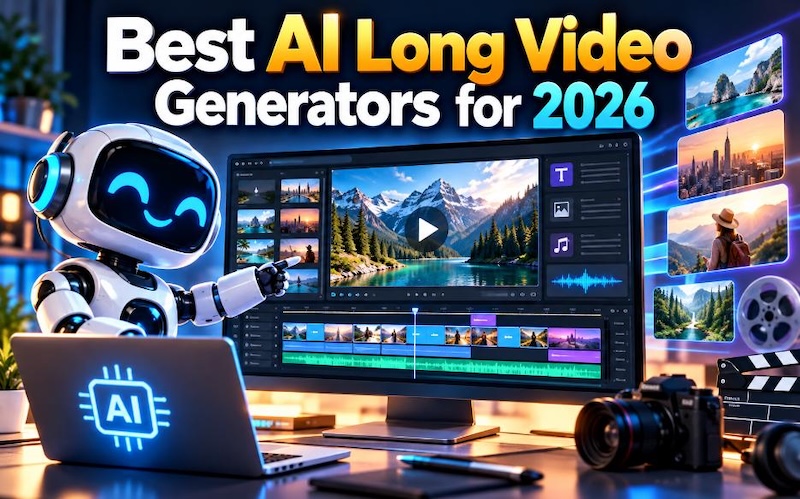
AI video generators help creators make YouTube videos, tutorials, educational lessons, product explainers, and story videos with less manual work. The best AI long video generator should do more than create short clips. It should help you plan scenes, add voiceovers, create subtitles, and edit clips into a complete video. HitPaw Edimakor, OpenArt, Google Veo, Runway, and Synthesia offer different ways to create video content. Some focus on storytelling, while others produce cinematic clips or presenter-led lessons. This guide compares their features, benefits, and limits to help you choose the right tool for your next project.
Part 1: What Makes an AI Video Generator Suitable for Long Videos?
A short AI clip usually shows one scene or action. A long-form video needs several connected scenes that explain a topic or tell a story from beginning to end. For example, a 10-minute YouTube tutorial may need an introduction, several steps, examples, and a conclusion. A suitable AI video generator helps creators manage these parts without too much manual work.
1 Multi-Scene Generation
Multi-scene generation breaks a script or story into separate scenes. The AI creates visuals for each part, which makes it easier to build a complete video. Creators can review each scene and replace clips that do not match the script.
2 Character and Scene Consistency
Long stories need consistent characters, clothing, locations, and visual styles. If a character looks different in every scene, viewers may find the story confusing. Tools with character references and scene controls can help reduce these problems.
3 Voiceovers, Subtitles, and Music
Clear narration helps viewers follow tutorials and educational videos. Subtitles support people who watch without sound, while background music can make a video more enjoyable. A good tool should offer useful audio features or let you add them during editing.
4 Script-to-Video Editing
Script-to-video tools turn written content into scenes. They can save time because creators do not need to build every scene from scratch. However, AI can still choose unsuitable visuals or make mistakes, so you should review the result. Some generators create only short clips. In that case, you must join several clips in an editor to make a longer video. Others offer workflows that create and organize multiple scenes in one project.
Part 2: What to Check Before Choosing an AI Long Video Generator
Before choosing a tool, check these six points.
- Video length limits: Check the maximum length of each generation and whether the tool supports longer projects through scene assembly.
- Content generation: Look for text-to-video, script-to-video, story-to-video, and image-to-video features.
- Editing flexibility: Check whether you can trim clips, replace scenes, change text, add transitions, and arrange footage on a timeline.
- Audio support: Look for AI narration, voice options, subtitles, sound effects, and background music.
- Export options: Review video resolution, file formats, watermarks, and export restrictions.
- Pricing and licensing: Compare free credits, paid plans, generation costs, and commercial-use terms.
Also, consider your experience level. Beginners may prefer a tool that creates scenes and narration from a script. Experienced editors may want more control over individual shots, timing, and visual details.
Part 3: Top 5 AI Long Video Generators in 2026
The best AI long video generators in 2026 help creators turn scripts, ideas, and stories into longer videos. These five tools offer different features for YouTube videos, tutorials, cinematic scenes, and training content.
#1. HitPaw Edimakor – Best AI Long Video Generator Overall
HitPaw Edimakor suits creators who want to turn ideas, scripts, and stories into videos. Its AI Video Generator offers idea-to-video, script-to-video, and story-to-video workflows. Creators can generate scenes, review the results, and edit the clips before exporting the finished project. The software also provides AI voice, subtitle, and music features. Edimakor's official guide lists video generation options of 30, 60, and 120 seconds for its described script-based workflow. Creators can then add more media and edit the project to produce a longer video. This makes it important to distinguish between the length of one AI generation and the length of the final edited video.


 Pros
- Generates videos from ideas, scripts, and stories.
- Offers scene-level editing and a video editor.
- Supports AI voiceovers, subtitles, and music.
- Helps beginners create videos without advanced editing skills.
 Cons
- AI generation uses credits.
- Available lengths and features depend on the selected workflow.
Best for: YouTube creators, educational videos, story videos, and product explainers.
Edimakor is my first recommendation for creators who want script-based video creation and editing in one workflow. You can start with a script, review the generated scenes, add narration, and assemble the final video. However, check the current generation limits and credit costs before starting a large project.
Tips:
Want to learn how to create longer videos with AI? Follow our AI video generation guide to use Edimakor to generate AI videos from your ideas.
#2. OpenArt – Best for Multi-Scene Storytelling
OpenArt Director focuses on creating videos through a storytelling workflow. You describe your idea, review the generated scenes, and request changes through its directing interface. Its official page advertises videos of up to five minutes and features designed to maintain character, voice, and scene consistency. This approach can help creators who want to make short films, story videos, product ads, or dramatic scenes. Instead of generating every shot separately and assembling everything from scratch, users can work with a connected story.

Pros
- Supports multi-scene storytelling.
- Helps maintain consistent characters and visual styles.
- Offers an editing process based on natural-language instructions.
- Suits story videos, ads, and short films.
Cons
- Complex scenes may require revisions.
- Longer or repeated generations may use more credits.
- Users who prefer a traditional timeline editor may need another editing tool.
Best for: Storytellers, short-film creators, and creators who need connected scenes.
OpenArt is worth considering when story continuity matters more than traditional timeline editing. Check the current plan and generation limits to understand how much content you can create within your budget.
#3. Google Veo – Best for High-Quality AI Video Clips
Google Veo is an AI video generation model for creating video from prompts and, depending on the available workflow, image references. It suits creators who need realistic visuals, cinematic shots, and additional footage for documentaries, explainers, and YouTube projects. Rather than treating Veo as a complete long-video editor, consider it a way to create individual scenes. You can generate relevant shots and combine them in a video editor with narration, subtitles, and other footage. Google's documentation also explains that generation limits and available features depend on the model and access method.
Pros
- Creates detailed AI-generated video clips.
- Supports prompt-based video creation.
- Works well for cinematic scenes and supplementary footage.
- Can provide visual material for larger video projects.
Cons
- Individual generations have duration limits.
- Long videos may require many separate clips.
- Maintaining visual continuity can require careful prompting and editing.
- Access and usage limits vary by service and plan.
Best for: Cinematic footage, documentary scenes, and visual storytelling.
Choose Veo when visual quality matters most and you are comfortable assembling several clips. For a complete 10-minute video, plan your scenes first and use an editor to connect them.
#4. Runway – Best for AI Video Creation and Editing
Runway combines AI video generation with creative tools for editing and refining visual content. It gives creators access to different video models, depending on their plan and the features available at the time. You can generate individual shots, test different ideas, and use the results in a larger production. Runway works well for projects that need visual control. For example, a creator could generate several scenes for a product video, select the best results, and arrange them with narration and music in an editing workflow.
Pros
- Provides AI video and image tools.
- Supports repeated generation and scene refinement.
- Offers audio features and other creative tools.
- Suits creators who want control over individual shots.
Cons
- Long projects may require many generations.
- Advanced tools can take time to learn.
- Credit costs can add up during repeated revisions.
- Some workflows require a separate editor for the final video.
Best for: Creative projects, product videos, cinematic scenes, and AI-assisted editing. Runway's official pricing page lists a free plan with 125 one-time credits and paid plans with monthly credits. The amount of footage you can generate depends on the model and settings, so check the current Runway pricing page before estimating project costs.
#5. Synthesia – Best for Long Training and Presentation Videos
Synthesia focuses on AI avatar videos. You can prepare a script and present it through an AI avatar instead of recording yourself on camera. This makes it useful for employee training, educational lessons, product demonstrations, and business presentations. For example, a company can prepare a training script, divide it into sections, and create a presenter-led video for employees. This format works well when viewers need clear instructions rather than cinematic scenes.
Pros
- Creates presenter-style videos from scripts.
- Supports multilingual video production.
- Suits training, tutorials, and business explainers.
- Reduces the need to record a presenter in person.
Cons
- Avatar videos offer less variety for cinematic storytelling.
- Some features and video minutes depend on the plan.
- Natural delivery and pronunciation still need review.
- Complex visual stories may require another tool.
Best for: Training videos, online lessons, business presentations, and software tutorials.
Choose Synthesia if your main goal is to explain information through a presenter. If you want animated stories or cinematic scenes, consider Edimakor, OpenArt, Veo, or Runway instead.
Part 4: How to Choose the Best AI Video Generator for Long Videos
The right tool depends on the type of content you want to create.
| Your main goal | Recommended tool |
|---|---|
| All in One video creation and editing | HitPaw Edimakor |
| Multi-scene storytelling | OpenArt |
| Cinematic AI footage | Google Veo |
| AI video creation with creative controls | Runway |
| Training and presenter-led videos | Synthesia |
If you want to create YouTube tutorials, choose a tool that supports script-based workflows, voiceovers, and subtitles. For fictional stories, focus on character consistency and connected scenes. For business training, an AI avatar may suit your needs better than a cinematic video generator. Budget also matters. Some tools charge credits for each generation, while others limit video minutes or features by subscription. Compare these costs before committing to a long project.
FAQs about Long AI Video Generator
A1: HitPaw Edimakor is my first recommendation for creators who want script-to-video generation, scene editing, voiceovers, and subtitles. OpenArt is another option for multi-scene storytelling, while Synthesia suits presenter-led training videos.
A2: Some AI tools support longer, connected video workflows, but many models generate only short clips at a time. You can create a 10-minute video by generating multiple scenes and combining them in an editor. Always check the tool's current duration limits.
A3: HitPaw Edimakor supports script-to-video workflows. Synthesia also lets users create presenter-led videos from scripts, while other tools may use story-based or multi-scene workflows. Available features vary by product and plan.
A4: Some tools offer free plans or trial credits. However, free access may include watermarks, limited credits, lower export options, or restricted features. You may need a paid plan to produce longer videos regularly.
A5: Use the same character references, descriptions, clothing details, and visual style in each scene. Choose a generator with character-consistency features, and review every scene before assembling the final video.
A6: Yes, you can generally publish AI-generated videos on YouTube, but you must follow YouTube's policies, copyright rules, and applicable disclosure requirements. Make sure you have the necessary rights to use the generated visuals, music, voices, and other assets. You should also add meaningful original value rather than publishing repetitive or low-effort videos.
Conclusion
The best AI long video generator depends on your content and editing needs. OpenArt suits connected stories, Google Veo works well for cinematic clips, Runway offers creative video tools, and Synthesia focuses on presenter-led lessons and training. HitPaw Edimakor is the first tool I recommend for creators who want to turn scripts and stories into videos while keeping scene editing, voiceovers, subtitles, and other editing features within their workflow. Before starting a large project, check the available video lengths, credit costs, export options, and commercial-use terms. Plan your script, review every generated scene, and edit the final video carefully. These steps will help you create useful, well-structured videos for YouTube, education, marketing, and other long-form projects.
Leave a Comment
Create your review for HitPaw articles