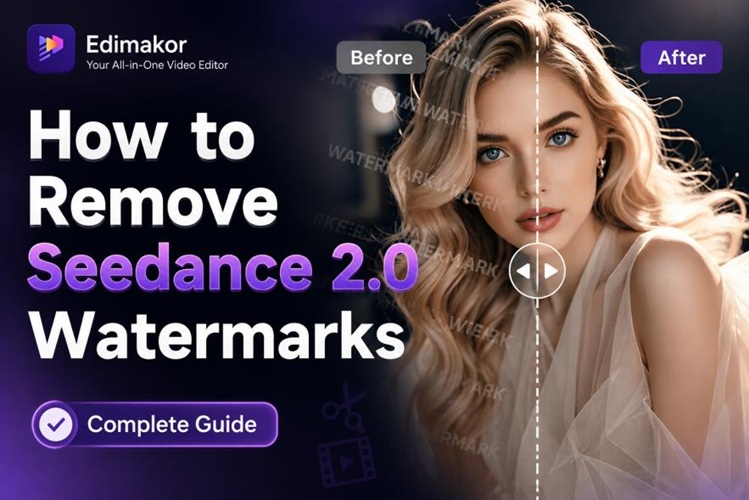
If you've downloaded photos or videos on your mobile device but they still have watermarks, requiring re-editing, or if you have beautifully taken photos but want to remove logos or text, then pay attention to this article. Previously, removing watermarks was difficult without professional programs like Photoshop, but now it's easy to remove watermarks from photos and videos with just a smartphone app. This guide introduces some of the most popular watermark removal apps as of 2025, so feel free to use them if needed.
Part 1. Top 10 Popular Watermark Removal Apps
1. Photoroom
Photoroom is an AI-based watermark removal app that has been downloaded by over 300 million people. It's a comprehensive photo editing program that allows for one-click background removal and photo watermark removal. It's especially popular among online store sellers and social media content creators, and because it allows you to create professional results without complex design skills, it's great for beginners.

Advantages
- AI-based automatic watermark removal feature allows for one-click processing.
- Background removal and replacement features are also provided, making it versatile.
- Supports both iOS and Android, and allows for simultaneous work on multiple images with batch editing.
Disadvantages
- The free version has limited features and adds a watermark.
- The subscription fee for the paid version is somewhat expensive.
- There are user reviews indicating slow customer support.
2. PhotoDirector
Developed by CyberLink, PhotoDirector is a free watermark removal app that offers an intuitive interface and various editing features. This watermark removal app allows you to quickly remove logos or text from photos with a one-touch removal function, and is available for both iOS and Android.
Advantages
- Adjustable brush size allows for precise photo watermark removal.
- Comes with a variety of filters and effects for comprehensive editing.
- Basic functions are fully usable even in the free version.
Disadvantages
- Watermarks on complex backgrounds may not be perfectly removed.
- Some advanced features require a paid subscription.
- Advertisements appear frequently, which can be disruptive to editing.
3. Photo AI Eraser
Photo AI Eraser, as the name suggests, is a watermark removal program that utilizes AI technology. It automatically detects and removes watermark areas. It is particularly strong at removing text-based watermarks and boasts fast processing speed.
Advantages
- AI automatically detects watermarks, saving manual work time.
- Simple interface makes it easy for beginners to use.
- Background restoration function is natural, leaving almost no traces of editing.
Disadvantages
- Accuracy may decrease with complex background patterns.
- The free version has a limited number of images that can be processed.
- Processing high-resolution images may take some time.
4. Picsart
Picsart, a popular all-in-one photo editing app worldwide, offers a variety of features, including a free watermark removal function. Using the removal tool, you can remove watermarks from photos, and you can also utilize additional editing features such as collages and stickers.
Advantages
- Provides a wealth of editing features in addition to AI-powered watermark removal.
- Has a large community, making it easy to find tutorials and tips.
- Offers a variety of templates, useful for creating social media content.
Disadvantages
- Many in-app ads can be inconvenient during use.
- The free version adds a watermark.
- With many features, beginners may need time to get used to it.
5. TouchRetouch
TouchRetouch is a professional watermark removal program developed by ADVA Soft, allowing you to precisely remove any unwanted elements from photos. It can naturally erase various marks such as acne and date stamps, and supports iOS photo extension functionality, allowing direct use within the default Photos app.
Advantages
- Excellent line removal function allows for precise removal of unwanted elements
- AI-based object removal naturally restores the background
- Precise brush tools enable detailed image watermark removal
Disadvantages
- It's a paid app, so there's an initial purchase cost
- Manual correction may be needed for complex background patterns
- The subscription model increases the cost burden
6. WatermarkRemover.io
WatermarkRemover.io is a free watermark removal app available on both web and mobile platforms. It supports various formats such as JPG, PNG, and WEBP, and automatically detects and removes watermarks, making it a convenient app and program to use.
Advantages
- Free watermark removal is available, making it affordable for individual users.
- Automatic watermark detection allows for fast processing.
- Works consistently across all devices for convenience.
Disadvantages
- Paid subscription required after free credits are used up.
- Batch processing is only available with a paid plan.
- Requires an internet connection, so it cannot be used offline.
7. Object Removal Pro
Object Removal Pro is a useful watermark removal app for removing unwanted elements from photos. It can remove not only watermarks but also people, objects, and other things you want to delete from the background, making it ideal for removing unwanted objects from travel photos.
Advantages
- One-touch removal with the Magic Eraser function
- Precise selection possible with brush and lasso tools
- Undo and redo functions are provided
Disadvantages
- The free version has limited functionality
- In-app advertisements are frequently displayed
- Processing speed for high-resolution images is relatively slow
8. Snapseed
Snapseed is a free photo editing and watermark removal program provided by Google, offering professional-level editing features. It allows for watermark removal using the healing tool, and also provides various professional features such as curves, brushes, and HDR.
Advantages
- Completely free and ad-free for convenient use
- Offers a wealth of professional-grade editing tools
- RAW file support makes it suitable for professional users
Disadvantages
- There is no dedicated function for watermark removal, requiring manual work with the healing tool.
- Lack of automatic detection function means it takes some time.
- The usage might be somewhat difficult for beginners.
9. YouCam Enhance
YouCam Enhance is an AI-based watermark removal app that also provides an automatic mosaic removal function. It can recognize and remove watermarks with a single button press, making it easy for beginners to use.
Advantages
- AI automatically restores images, making it convenient.
- Intuitive interface that's easy for beginners to use.
- Relatively inexpensive subscription cost.
Disadvantages
- The free version displays a watermark on images.
- Complex watermarks may not be completely removed.
- Some advanced features require a paid subscription.
Part 2: The Best Watermark Removal Program for PC - Edimakor
For simple images or short videos that are only a few seconds long, a basic watermark removal app might suffice. However, if you need more precise photo or video watermark removal, try HitPaw Edimakor , which we introduce in this part. Edimakor is an all-in-one program that can handle photo watermark removal as well as video watermark removal with just one click. Its advanced AI watermark removal technology allows for natural-looking watermark removal even in complex backgrounds. It also supports Korean, making it convenient for domestic users, and is easy for both beginners and experts to use. If you're looking for a place to remove watermarks for free , give it a try.
Key Features
- AI-based automatic watermark detection and removal, completing the task in just a few clicks.
- Supports both photos and videos, allowing you to process various media files.
- High-quality output that maintains the original resolution while cleanly removing watermarks.
- Batch processing function saves time by editing multiple files at once.
- Various editing tools and effects allow for further adjustments after watermark removal.
Below, we'll guide you step-by-step on how to remove watermarks using HitPaw Edimakor.
Step 1: Download and install HitPaw Edimakor. It supports both Windows and Mac, so choose the version compatible with your operating system.


Step 2: After running Edimakor, click on 'Remove Watermark'. Clicking this function will open a new window where you can upload your photos.
Step 3: Edimakor can remove watermarks from both photos and videos, so please select the function you need, as shown in the example image. Next, upload the file you need to remove the watermark from. You can either upload the file or drag and drop it; choose the method that's most convenient for you.
Step 4: Once the file is uploaded, you need to select the area containing the watermark. Edimakor's watermark removal AI offers automatic detection, but you can also manually specify the area, so please select the watermark area.
Step 5: If you need to remove watermarks from multiple images, not just one, please click the "+" button below to add more files. Once you have selected the watermark area, click the "Remove" button. Edimakor's AI watermark removal technology will automatically analyze the background, remove the watermark, and naturally restore the background. Processing time may vary depending on the file size, so please wait a moment.
Step 6: Once the photo watermark removal process is complete, you can check the results in the "Results" section. Hover your mouse over the file, and a folder icon will appear (as shown in the example image); click on it. Here, you can directly view the image with the watermark removed, so please check to ensure the removal was successful.
Part 3. Limitations and Precautions of Free Watermark Removal Apps
Since free watermark removal apps have clear limitations, this section will focus on important information you should know before using them.
1. Consider the Image Quality Degradation Issues of Free Apps
Most free watermark removal apps often re-insert their own watermark after processing or save the image at a lower resolution. Especially in the free version, HD quality is often limited, or the app's name or logo is displayed at the bottom of the image, so be sure to check this. If you need it for professional use or require high quality, it's more efficient to pay for a paid version or use a professional watermark removal program like Edimakor.
2. Beware of Privacy Protection and Ad-Based Apps
When downloading a watermark removal app, always use the official app store. Some ad-based apps may request excessive permissions or collect personal information, so be cautious. We especially recommend avoiding apps that request contact or location information in addition to gallery access. Also, carefully check user reviews to ensure they aren't malicious.
3. Consider PC programs for professional work
HitPaw Edimakor, introduced earlier, runs directly on your computer, preventing files from being sent over the internet, making it safer from a privacy perspective. Unlike AI watermark removal tools that work on websites, it can work even when your internet connection is disconnected, offers fast processing speeds, and has no file size limits. Edimakor is also supported in Korean, making it convenient for domestic users. If you need safe and professional watermark removal, we recommend Edimakor.
Part 4. Benefits and Utilization Tips for AI Watermark Removal
Recent advancements in AI technology have significantly improved AI watermark removal capabilities. In this part, we'll explore the benefits of AI watermark removal and practical usage tips.
1. Over 90% Faster Work Speed than Manual Editing
In the past, watermarks had to be removed manually, one by one, using specialized programs like Photoshop. Now, thanks to AI watermark removal technology, it can be done automatically with just a few clicks. The AI automatically analyzes background patterns and restores them naturally, completing the process over 90% faster than manual editing. If you need to process multiple images, batch processing can save you even more time, so be sure to take advantage of this feature.
2. Useful for editing social media, online shopping, and YouTube videos
Photo and video watermark removal features are highly useful in a variety of fields. Social media marketers can remove watermarks from stock images to create clean content, while online store owners can remove unnecessary logos from product photos to create professional-looking images. YouTube creators can also remove watermarks from video assets to create more polished content. Consider utilizing the Watermark Removal app to suit your needs.
3. Remove Editing Traces with Natural Background Restoration
The biggest advantage of the latest AI watermark removal technology is its ability to naturally restore backgrounds. In the past, when removing a watermark, the area would often become blurred or the color would change, but now AI analyzes the surrounding colors and patterns and fills them in naturally like the original, and it can be processed without any discomfort even on images with complex pattern backgrounds or gradients. Therefore, if you need professional results, we recommend choosing an AI-based watermark removal program.
conclusion
So far, we've taken a detailed look at popular watermark removal apps for 2025, their advantages and disadvantages, and precautions to take when using free watermark removal apps. For simple photo watermark removal, a mobile app is sufficient, but if you need more professional and high-quality images or need to remove watermarks from videos, we recommend HitPaw Edimakor. Edimakor boasts excellent AI watermark removal technology, allowing for natural processing even in complex backgrounds, and supports Korean, making it convenient for domestic users. Furthermore, because it operates locally, your personal information is safe, and the batch processing function allows you to edit multiple files at once, saving you time. So, if you need to remove watermarks, try Edimakor.
Leave a Comment
Create your review for HitPaw articles