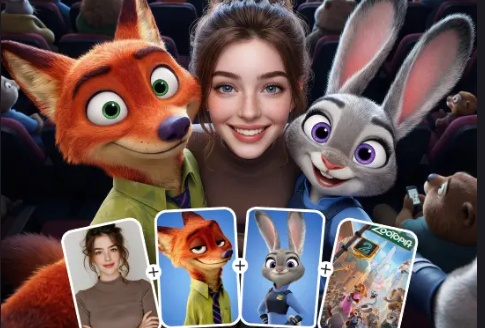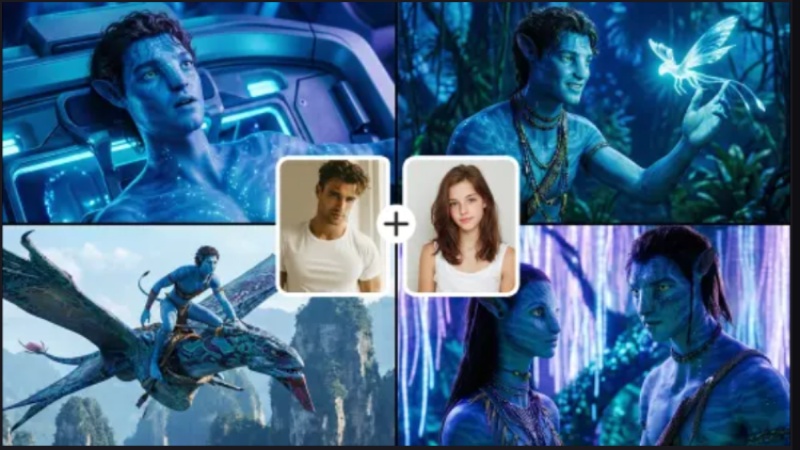
AI pregnancy filter is a viral digital trend that uses artificial intelligence to realistically simulate what a person would look like with a baby bump. While popular on social media platforms, it has evolved into a sophisticated tool. We aim to show you how to use AI pregnant filter.
Part 1: What Is AI Pregnant Filter?
An AI pregnant filter is a digital effect that uses artificial intelligence to realistically simulate a baby bump on a person's body in a photo or video. Unlike AI pregnancy filter tiktok that simply overlaid a 2D image, modern 2025 AI pregnant photo generator filters use body mapping and generative rendering to integrate the bump naturally with the user’s posture, clothing, and lighting.
Core Features
- Realistic Rendering: The AI analyzes the user's torso and "re-draws" their clothing to look stretched and folded over a bump, ensuring it doesn't just look like a floating object.
- Trimester Stages: Many advanced tools allow you to toggle between different stages of pregnancy, from a subtle "first-trimester glow" to a full-term 9-month belly.
- Postural Adjustment: Some filters slightly adjust the user's stance or the way they hold their hands to better mimic a natural pregnancy pose.
- Inclusive Design: Most filters are now programmed to work on various body types, skin tones, and even on men or pets for comedic "prank" purposes.
Why the Pregnancy Filter Trend is Viral on TikTok and Instagram
The AI pregnancy filter has become a major viral sensation on TikTok and Instagram because it combines high-stakes emotional triggers with advanced technology and low-effort participation. In 2025, the trend has shifted from a "niche edit" to a mainstream social phenomenon for several key reasons:
- "Future Self" Visualization: Many users use the filter to emotionally connect with the idea of motherhood or to satisfy curiosity about their future appearance.
- Maternity Marketing: Brands use these tools to showcase how maternity wear looks on different body types without needing expensive photoshoots with models at every stage of pregnancy.
- Social Media Pranks: A major driver of the trend involves users "surprising" partners or parents with hyper-realistic "announcement" photos.
- Pregnancy Progress Tracking: Some expecting parents use the filters to "preview" their upcoming months as a fun way to share their journey.
Part 2: How to Use AI Pregnant Filter with Nano Banana & Veo 3.1
The technology behind the viral AI pregnancy filter has reached a new peak with the integration of Google's flagship creative models such as Nano Banana and Veo 3.1. While social media apps like Remini and TikTok popularized the concept, these underlying models provide the professional-grade "engine" that allows for the hyper-realistic, high-definition results seen in current trends. Here's how to Use AI pregnant filter with Nano Banana using Edimakor AI Image Generator :
Step 1: Launch the Edimkaor AI software on your computer, go to the toolbox, select “Image” and select “Reference Image”.



Step 2: Upload your reference images, either one or three using the provided templates.
Step 3: Scroll down to enter prompt, select aspect ratio and output quantity before you hit the “Generate” button.
Step 4: Drag and drop your result to the timeline to preview it and hit the camera icon to save and share.
Here's how to Use AI Pregnant Filter with Veo 3.1 using Edimakor AI Image to Video:
Step 1: On the Edimakor AI home interface, go to the toolbox and select “ Image to Video ”.
Step 2: Hit the model arrow and scroll down to select “Google Veo 3.1 model”.
Step 3: Upload your intended image and crop it by selecting aspect ratio.
Step 4: Scroll down to enter prompt, select video duration, resolution and aspect ratio. You can also generate audio for your video before hitting the “Generate” button.
Step 5: Drag and drop your result to the timeline and hit the “Export” button to save and share.
Part 3: How to Use AI Pregnant Filter Online
Using an AI Pregnancy Filter online has become a streamlined process in 2025, moving beyond mobile apps to powerful web-based editors. The pregnant AI filter free online allows you to transform a standard photo into a realistic maternity portrait with just a few clicks. Here's how to get the ai pregnant filter and how to use ai pregnant filter online using insMind AI Pregnant filter:
- Go to the insMind AI Pregnant Filter page.
- Click "Upload a Photo" and select a clear, front-facing or profile image
- Once your photo is uploaded, select the Brush tool.
- In the text box provided, describe the look you want.
- Click the "Generate" button. The AI (powered by engines like Nano Banana) will process the image in about 10–15 seconds.
-
Once satisfied, click the Download button.
Part 4: How to Use AI Pregnant Filter on App
Using an AI pregnant filter app has become the most popular way to participate in the "maternity preview" trend. While web tools offer high-end control, remini AI pregnant filter provide the instant, one-tap experience needed for viral social media content. Here's how to use AI pregnant filter on Capcut best AI pregnant filter app 2025:
- Open the CapCut app (ensure it is updated to the latest 2025 version).
- Tap on the "Templates" tab at the bottom of the screen.
- In the search bar at the top, type keywords like "AI Pregnant," "Pregnant Filter," or "Pregnancy AI."
- Tap the "Use Template" button at the bottom right.
- Select photos from your gallery.
-
Once the photos are loaded, tap "Preview" and "Export."
Here's how to use AI pregnant filter on Fotor App:
- Open the Fotor App (or go to Fotor.com).
- On the home screen, look for the "AI Tools" section.
- Select the tool labeled "AI Replace" or "Generative Fill."
- Upload Your Photo
- Choose a clear, full-body or half-body photo.
- Use your finger (on the app) or mouse (on the web) to brush over your stomach area.
- In the text box that appears, describe what you want and hit "Generate."
-
Hit "Save" or "Download" to export the photo to your gallery.
Conclusion
AI pregnant generators offer a fun, low-cost way to visualize motherhood, help brands save on photography costs, and provide a "digital keepsake" for those curious about the future. With AI pregnant filter, virtual maternity photoshoots, high-quality social media posts, and professional maternity wear marketing are made possible. The Edimakor AI incorporates Nano Banana & Veo 3.1, which are the best ai pregnant generators.
Leave a Comment
Create your review for HitPaw articles