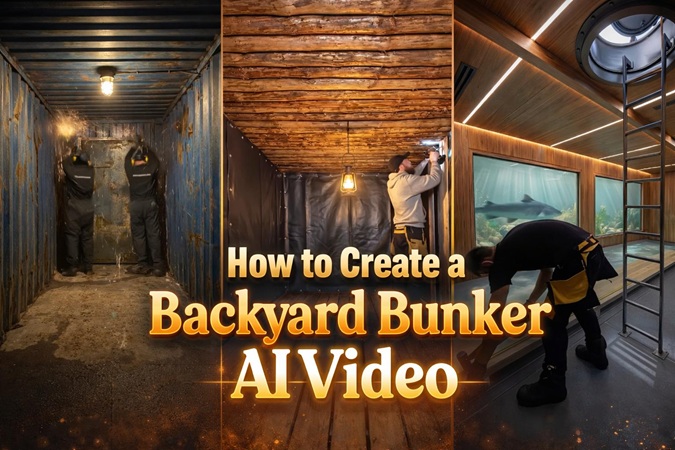
Have you ever been amazed by videos on social media showing massive bunkers being built in backyards? In fact, most of them are AI-generated, not actual construction projects. These hyper-realistic clips are created using smart tools and creative prompts. In this post, you’ll learn how to make your own backyard bunker AI video step by step, with beginner-friendly methods that anyone can follow.
Part 1. What Should a Backyard Bunker AI Video Include?
To create a viral backyard bunker AI video in 2026, focus on satisfying timelapse visuals and hidden luxury reveals. Most high-performing videos follow a simple 4-part structure:

- Hook (0–3s): Show a normal backyard, then quickly reveal a high-tech bunker underneath with a strong caption like “My neighbors have no idea…”.
- Construction: AI timelapse of excavation, concrete structure, and interior setup.
- Luxury Reveal: Showcase features like pools, command centers, or futuristic rooms.
- Key Details: Add realistic sound effects, keep visual consistency, and use smooth transitions to avoid the “AI look.”
Part 2. How to Create a Backyard Bunker AI Video (Step-by-Step)
Step 1: Generate Backyard Bunker Construction with ChatGPT
- Open ChatGPT on your computer and click on GPTs
- Search for Bunker Timelapse AI studio
- Select the custom gpt by Zapiwala. Click on it and start the chat.
- Hit the "Let's Start" button and answer “1” to generate bunker timelapse sequence.
- Next, it will ask for the backyard location where you want to build the bunker. Enter your desired location.
- The GPT will generate the image prompt for the starting construction point. Then it provides 15 detailed step by step video prompts for the timelapse progression.
- Now, copy the image prompt and go to Step 2 below
Step 2: Create Images and Videos
- Install the Hitpaw Edimakor software on your windows or mac.
- Select AI Image from the toolbox
- Copy the generated image prompt from ChatGPT and paste it here
- Go to the AI Video feature. Upload the image you generated in the step above. Copy and paste the first video prompt you generated on ChatGPT which corresponds with the image.
- Configure your settings:
-
You can use aspect ratio: 16:9 for YouTube, 9:16 for TikTok and Instagram Reels
Choose duration: 5-15 seconds per clip works best for TikTok
Resolution settings: Choose 1080p for quick exports or 4K for premium quality
Resolution settings: Choose 1080p for quick exports or 4K for premium quality
- And enable ambient audio to add natural forest and mechanical sounds automatically. (Edimakor's batch processing capability handles multiple scenes simultaneously. Your backyard bunker ai video should be ready in minutes instead of hours.)
- Copy the final frame of Video 1 as the starting frame of Video 2.
- Duplicate the Video 2 prompt to generate the next video, and repeat this step until all scene clips are created.
A photorealistic daytime view from a slightly elevated perspective of a suburban backyard. In the background sits a classic, single-story red-brick house with a grey shingle roof and a concrete patio. The yard is enclosed by a weathered wooden privacy fence, with large mature oak trees visible behind it.
The pristine lawn is gone, replaced by a massive construction site. A deep, rectangular trench (20ft x 15ft) is excavated in the center. Piles of fresh, dark brown dirt are mounded high around the hole. A yellow compact excavator sits next to the pit. The trench walls are lined with temporary wooden formwork and exposed steel rebar mesh. Shot on 35mm lens, dusty atmosphere.
Step 3: Final Editing
- Drag and drop your generated videos successively into the timeline for editing.
- Add subtitles, effects, and mechanical sound effects to enhance the video, along with soft ambient music at low volume, text overlays for storytelling moments, and warm cinematic color grading filters.
- Preview your work frequently using the built-in player. Make adjustments until the flow feels perfectly satisfying.
- Hit the "Export" button when satisfied to save and share your backyard bunker ai video.
Part 3. How to Make Your Backyard Bunker AI Video Go Viral?
To go viral in the 2026 backyard bunker niche, you have to move past basic "AI slop" and focus on retention architecture. The algorithm currently prioritizes completion rates and re-watches, which means your video needs to feel like a high-stakes, satisfying "mission."
- Platforms like YouTube and TikTok now have specific "Synthetic Content" labels. Don't hide from them, embrace them to avoid being "shadow-labeled."
- Use high-intent keywords in your description: “Backyard survival shelter,” “Underground mansion timelapse,” “Nuclear bunker DIY AI.”
- The "Loop" Trick: End your video with the bunker door closing and the grass being replaced, so it perfectly loops back to the start of the video. This inflates your "Re-watch" metrics.
- Disclosure: Always check the "Altered Content" box during upload. Authenticity about being an "AI Creator" actually builds more trust and prevents reach penalties.
Part 4. FAQs
A1: Yes, HitPaw Edimakor offers a free trial. You can absolutely create high-quality backyard bunker AI videos for free. As shown in this guide, the strategy has shifted from using one single "all-in-one" tool to using a daily credit-loop strategy across ChatGPT and Hitpaw Edimakor.
A2: No, you do not need traditional video editing skills to make these videos. The backyard bunker trend is powered by AI Automation, which has turned video editing into something more like arranging blocks rather than complex technical work. The HitPaw Edimakor AI-powered software is easy to use and beginner-friendly.
A3: Creating a high-quality backyard bunker AI video is remarkably fast. For an experienced creator using the Hitpaw Edimakor, the total hands-on time is typically between 8 and 15 minutes.
Part 5. Conclusion
The use cases for backyard bunker ai videos have evolved from simple satisfying clips into a legitimate tool for digital entrepreneurship and even professional visualization. The Hitpaw Edimakor handles transparent overlays (like scanning lines or battery icons) much more smoothly than mobile editors, allowing you to give your videos that high-tech command center feel in just a few clicks.


Leave a Comment
Create your review for HitPaw articles