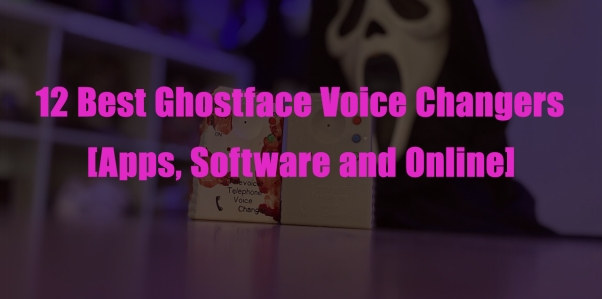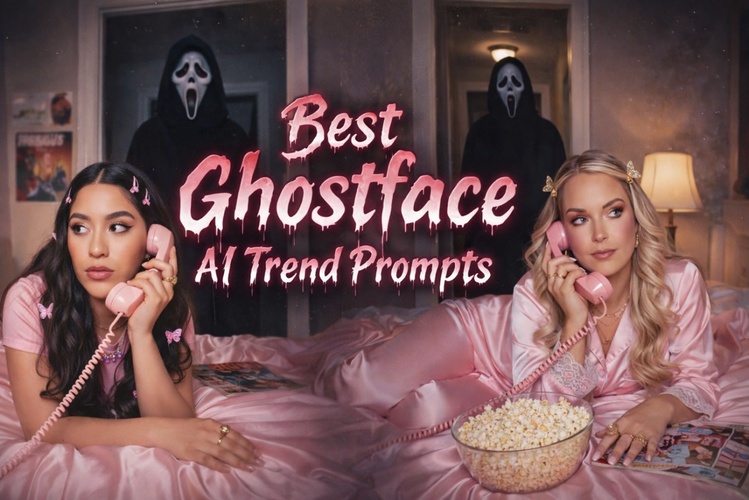
The Ghostface AI trend is a viral horror photo style where creators use AI to turn images into cinematic, scream-inspired visuals. Unlike basic filters, AI reshapes facial details, lighting, shadows, textures, and dark atmospheres. Popular on TikTok, creators use eerie backgrounds or poster-like portraits. Strong prompts and powerful AI tools are key. This article includes 6 ready-to-use prompts to help you create trendy Ghostface AI photos.
Part 1. Ghostface Prompts for Gemini AI
If you're using Google Gemini AI photo ghostface tools or exploring the Gemini AI ghostface trend, your results depend entirely on prompt quality. Below are 6 optimized ghostface AI trend prompt examples you can copy and paste.
Ultra-Realistic Horror Prompts

Hyper-realistic Ghostface portrait, cinematic horror lighting, rain-soaked street, ultra-detailed mask texture, 4K resolution.
Ghostface standing in neon city alley, wet pavement reflections, cinematic thriller poster style.
AI Y2K Ghostface Pic Prompts
Y2K ghostface selfie, early 2000s flash photography, metallic chrome text overlay, VHS filter.
Stylized & Artistic Prompts
Each style uses different lighting setups and background effects to create a powerful scream-inspired visual.
Part 2. How to Do the Ghostface AI Trend (Step by Step)
While Gemini can generate images, using an all-in-one editor like HitPaw Edimakor gives you more control and better final quality. Many online AI tools limit quality or require credits. Edimakor allows deeper editing and storytelling, making it ideal for creators who want more than just a static image.
Key Features
- Integrated AI image generation
- Video editing in the same workspace
- Built-in templates
- Fast processing speed
- Beginner-friendly UI
- High-resolution export
Below, we’ll walk you through how to create a Ghostface AI image using HitPaw Edimakor in detail.
Step 1: Download HitPaw Edimakor and Open AI Image


Install HitPaw Edimakor on your computer and open the “ AI Image ” feature .
Edimakor supports fast rendering and provides template-based generation for beginners.
Step 2: Upload Your Image and Enter a Prompt
Upload a clear portrait photo. Then paste one of the optimized prompts listed above. You can adjust:
- Style intensity
- Resolution
- Lighting preferences
- Aspect ratio
You can also use our built-in prompts to generate with one click.
Step 3: Generate the Image and Share It
Click “Generate” and review the variations. Choose the most realistic one and export it in high resolution.
You can then:
- Turn your image into a short horror reel
- Add sound effects
- Insert cinematic transitions
- Add animated text
This makes your content stand out in the AI ghostface trend on TikTok.
Tips: How to Make Your Photo Look More Realistic and Scary
To improve your ghostface AI trend results, focus on quality and details:
1. Use a High-Resolution Face Image
Clear, sharp photos work best. Blurry images cause distorted mask details and unnatural edges when using a ghostface AI generator.
2. Write Specific Prompts
Avoid generic prompts. Mention lighting (cinematic, neon, flashlight), mood (dark horror, thriller), and environment (foggy alley, abandoned hallway). A strong Ghostface AI trend prompt creates more realistic results.
3. Add Environmental Elements
Include fog, smoke, rain reflections, broken lights, or a dramatic ghostface background. These details make the final scream picture look cinematic and more believable.
Conclusion
The ghostface AI trend continues to grow because it merges horror culture with AI creativity. Whether you're using Gemini AI or a dedicated ghostface AI generator, strong prompts are essential. However, for creators who want higher quality, editing control, and video capabilities, HitPaw Edimakor offers a complete solution. With the right prompts and workflow, you can create cinematic scream-style content that stands out across social platforms.
Leave a Comment
Create your review for HitPaw articles