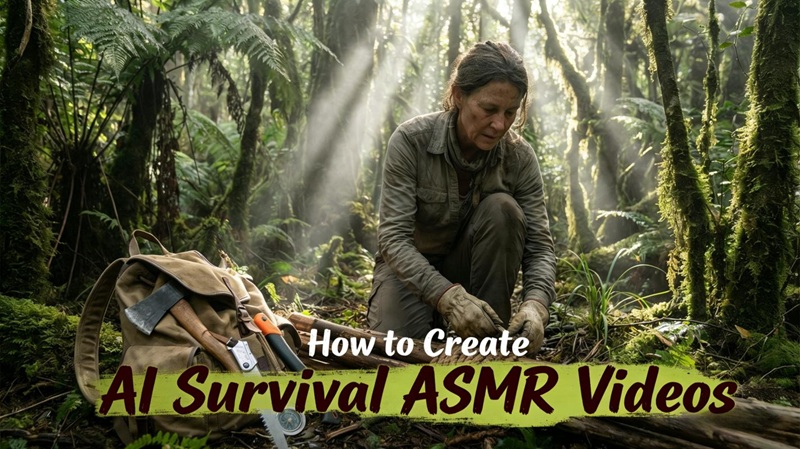
AI Survival ASMR Videos are taking over social media in 2026. These calming jungle and wilderness survival clips captivate millions of viewers daily. You might think creating them requires expensive software or advanced skills. Actually, AI makes the entire process surprisingly simple for beginners. This guide shows you two reliable ways to create AI Survival ASMR videos.

Part 1.How to Make AI Survival ASMR Videos That Capture Viewers
Creating viral survival content is easier than ever—AI handles the technical work so you can focus on storytelling. Below, we break down the scene generation process step by step using free, accessible tools.
Step 1: Generate Viral Video Ideas with GPT
ChatGPT acts as your creative partner—generating survival ASMR ideas from trends, planning the right number of scenes for your video length, building a complete story arc, and crafting clickable YouTube titles to help your content stand out.
Pro Tip:
For videos longer than 3 minutes, ask ChatGPT to generate 10 scenes at a time. This keeps each scene detailed and your story well-structured.
Generate 20 viral AI survival ASMR video ideas with YouTube titles. Then create a 10-scene story for a 3-minute video about building a jungle shelter during a rainstorm.
This approach gives you a solid foundation for your video concepts. The story structure becomes clear from the start.
Step 2: Generate a Image Prompt
Consistency is key to a successful survival series. Use GPT to create a detailed character prompt as a visual template, then generate scene-specific prompts showing different survival actions like chopping wood, making fire, or cooking.
Create an image prompt for a young female survival expert. She has long braided hair and wears a khaki explorer outfit. Include a backpack and a compass. Then generate 10 scene specific prompts showing her building a shelter and gathering supplies.This method ensures visual consistency across your entire video. Viewers won't notice jarring changes between clips.
Step 3: Create Character Images
Now comes the visual creation phase. Copy your prompts into any AI image generator like Gemini. Generate your reference character first to establish the look. Then create images for each scene using your customized prompts. Aim for high resolution—8K produces the sharpest, most professional results.
The key is maintaining the same character features throughout. Small variations in lighting or pose work fine. Dramatic changes in appearance will confuse your audience and hurt engagement.
Step 4: Turn Images into Cinematic Videos
Return to ChatGPT and request video prompts for each scene. These prompts describe camera movements, atmospheric effects, and subtle animations. Your AI video generator uses these instructions to add life.
Scene 1: Slow zoom into the character examining jungle terrain. Leaves rustle gently in the breeze. Soft golden sunlight filters through the canopy. Camera pans right to reveal a clearing.Paste each prompt into your chosen video generator. Set duration between 5-10 seconds per scene for optimal pacing. Select 1080p or 4K resolution and your preferred aspect ratio. The AI handles motion generation automatically, creating smooth and satisfying clips.
Part 2.A One-Stop Solution for Making AI Survival ASMR Videos
Juggling multiple platforms wastes time and creates workflow headaches. HitPaw Edimakor's AI ASMR Generator solves this problem elegantly. This all-in-one editor combines image generation, video creation, and professional editing features. You'll complete projects faster while maintaining broadcast quality standards. Let's explore how Edimakor streamlines the entire process.


Step 1: Download HitPaw Edimakor and Access "AI Image"
Launch the software and locate the AI Image feature in the main toolbar. Select the Nano Banana Pro model in Text-to-Image , then enter a prompt to generate the image.Your image will be generated in a few seconds.
Step 2: Create AI Survival ASMR Videos
Navigate to the Image to Video feature. Upload a scene image you generated in the previous step. Paste your custom video prompt for the corresponding image. Repeat this step until all scenes are generated.
Configure your settings carefully:
- Duration: 5-15 seconds per clip works best for ASMR pacing
- Resolution settings: Choose 1080p for quick exports or 4K for premium quality
- Aspect ratio: 16:9 for YouTube, 9:16 for TikTok and Instagram Reels
Enable ambient audio to add natural forest sounds automatically. Edimakor's batch processing capability handles multiple scenes simultaneously. You'll have a complete AI survival ASMR video ready in minutes instead of hours.
Step 3: Final Editing
Drag all generated clips onto the video timeline in sequence. Edimakor's intuitive interface makes arrangement effortless. Add smooth transitions between scenes—crossfades work beautifully for ASMR content. The subtitle generation tool creates captions automatically for accessibility.
Enhance your video with carefully chosen effects:
- Nature sound overlays (rain, wind, crackling fire)
- Soft ambient music at low volume
- Text overlays for storytelling moments
- Color grading filters for warm, cinematic aesthetics
Preview your work frequently using the built-in player. Make adjustments until the flow feels perfectly satisfying.
Step 4: Download & Share
Once you're happy with the final product, hit export. Choose from multiple formats and quality levels. The export settings menu offers platform optimization presets. Select "YouTube 4K" for maximum quality or "Instagram Vertical" for mobile viewers.
Edimakor includes direct upload functionality for major platforms. Skip the download-then-upload hassle entirely.
Part 3.FAQs
A1: AI Survival ASMR videos combine relaxing sounds with survival scenes, making them highly satisfying to watch. They get high watch time and engagement, which helps them go viral on short-video platforms.
A2: Many creators use multiple tools like ChatGPT for scripts, Gemini for images, and Runway for videos, but this is costly and complex.HitPaw Edimakor offers an all-in-one solution for image, video, and editing, making the process much easier.It's the smartest choice for AI ASMR video generator workflows.
A3: Use smooth movements, natural ambient sounds, and consistent characters for the best ASMR effect. Detailed prompts and previewing your video before export help improve quality.
Part 4.Conclusion
Creating AI Survival ASMR Videos has never been more accessible for beginners. You've learned two complete workflows today. The multi-tool approach works but requires juggling several platforms simultaneously. HitPaw Edimakor offers the smarter path with its comprehensive all-in-one solution. You'll produce higher quality AI ASMR video content in less time. Download Edimakor today and join the viral trend that's dominating 2026. Your first beginner-friendly AI video creation project awaits. Start building your audience now before this opportunity passes.
Leave a Comment
Create your review for HitPaw articles