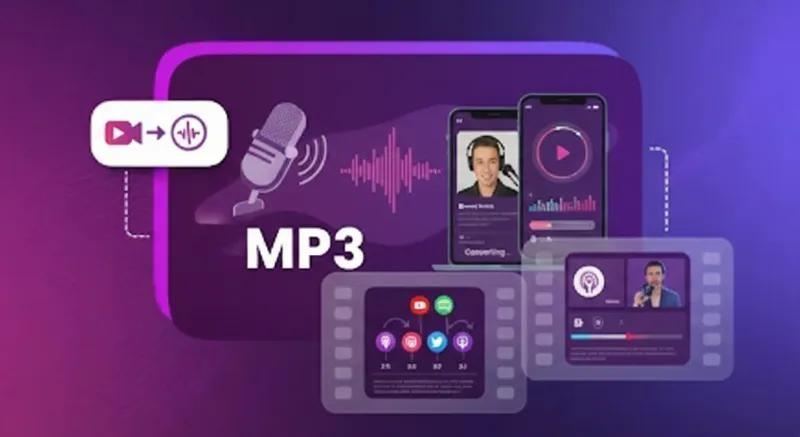
Publishing only audio limits your podcast’s reach. Video platforms like YouTube and TikTok are where people discover new content. And they don’t surface MP3s. Converting your podcast audio into video makes it easier to share episodes across these platforms and attract new viewers. The good news is that you don’t need advanced editing skills or expensive equipment to get started. In this guide, we’ll show you how to turn a podcast into a video using simple tools — no editing experience or professional help required. Ensure to read this guide till the end.
Part 1: What is a Podcast?

A podcast is a digital medium consisting of audio episodes that relate to a specific theme. The hosts of a podcast are referred to as “Podcasters.” These episodes can cover a wide range of subjects, including technology, business, education, entertainment, health, and personal development.
Traditionally, podcasts were published in audio formats such as MP3, making them easy to listen to while doing multiple tasks such as cooking, driving, exercising, or working. However, with the growing popularity of video platforms, many creators are now turning audio podcasts into videos to reach a wider audience.
Part 2: Why Turn a Podcast MP3 into a Video
Video continues to dominate digital platforms, making it an effective way for podcasters to reach new audiences and increase engagement. Converting audio podcasts into videos creates more opportunities to share content across popular platforms, like YouTube, TikTok, and Instagram. Here are some reasons to turn a podcast into a video:
- Expand Your Reach: Turning your podcast into a video taps into a visual audience on platforms like YouTube, Instagram, TikTok, and Facebook. This will help you reach people who prefer video content instead of audio.
- More Engaging for Your Audience: Seeing a host’s facial expressions, reactions, and body language adds personality to your podcast. Viewers feel more connected when they put a face to the voice, which helps build trust and loyalty.
- Potential for Monetization: Turn podcast into video opens up additional opportunities to generate revenue. Creators can publish video episodes on platforms like YouTube, where eligible channels may earn money through advertising.
- Improve Discoverability: Video podcasts can appear in search results and recommendation feeds on platforms like YouTube. Adding relevant titles, descriptions, and captions can help audiences discover your content.
Part 3: Best Podcast-to-Video Converter Available in 2026
There are multiple reasons to convert an audio podcast to video AI, and we have covered the most important ones above. Next, choose the right podcast-to-video converter for your needs. Below, we’ve mentioned the top AI tools that can easily convert your audio into engaging videos without editing experience.
1. HitPaw Edimakor
Turning an audio podcast into video can be expensive and time-consuming when done traditionally. Creators may need to buy recording equipment, schedule another recording session, set up cameras and lighting, and spend hours editing footage. But what if we told you there is a tool that can help convert audio podcast to video free without starting from scratch?
HitPaw Edimakor is an all-in-one AI video editing platform that offers a wide range of AI tools, including an AI podcast generator. The program enables users to turn any content into a high-quality AI video podcast, including an MP3 file. Simply upload your podcast to HitPaw Edimakor, choose the video character, and click on the “Generate” button. The program offers 1000+ AI avatars , each from different roles and industries, such as hosts, doctors, teachers, students, and more.


Key Features of HitPaw Edimakor
- AI Podcast Generator : HitPaw Edimakor enables users to turn any content into a high-quality AI video podcast, including audio, text, images, and more. Best for podcasters who want to repurpose their content for platforms like YouTube, TikTok, and Instagram.
- Multiple AI Avatars: If you don’t want to feature in your video, don’t worry. HitPaw Edimakor offers 1000+ built-in AI avatars that you can use to create engaging video content without showing your face. You can choose an avatar that suits your podcast’s style and use it to present information.
- High-Quality AI Voices: One of the standout features of this tool is that it also includes 500+ AI voices in multiple languages and speaking styles. Users can translate podcast videos into multiple languages, such as English, Chinese, Turkish, Spanish, Italian, Hindi, and more.
- Beginner-Friendly: The best part of HitPaw Edimakor is that it offers an easy-to-use interface, which is ideal for non-tech and beginner users. Simply upload your podcast, choose the video language, avatar, and style, and click on the “Generate” button to create polished episodes in minutes.
- Generate AI Music: Enhance your podcasts with mood-matching AI-generated background music. Background music generated from HitPaw Edimakor is free for commercial use, making it a useful option for creators producing monetized videos and promotional content.
How to Convert Audio Podcast into Video Using HitPaw Edimakor?
With HitPaw Edimakor, users can convert an audio podcast into a video without editing experience or professional help. Follow the instructions below to learn how to do it:
Step 1: Navigate to the HitPaw Edimakor official site and download the latest version of the program on your PC. Launch it and select the “New Project” option. Select the “Talking Photo” option. Select the “Import Audio” option and upload your podcast.
Step 2: Next, select the “AI Avatar” option to open the built-in avatar library. Browse the available avatars and choose the one that best suits your podcast’s topic, tone, and target audience. You can also upload your own image to create a custom avatar for your video.
Step 3: Finally, click on the “Generate” button to begin the podcast video creation process. Within minutes, HitPaw Edimakor will combine your audio file with visuals and create a high-quality podcast video. Preview the results, and if satisfied, click on the “Download” button.
2. Cleanvoices
Converting your podcast into video content opens up new opportunities to expand your reach, engage more viewers, and enhance your brand’s visibility across social platforms. The program offers an amazing Audio Visualizer that helps creators transform audio recording into visually appealing content. Instead of sharing an audio file alone, you can use visual elements to make your podcast more suitable for video-focused platforms. The best part of this tool is that it offers an easy-to-use interface and works seamlessly with multiple devices, including Windows and macOS.
Pros
- Add visuals to your audio file, making it ideal for YouTube and Instagram.
- Customizable waveform styles and color themes, plus artwork and captions.
- Easy-to-use interface that makes audio-to-video conversion accessible to beginners.
- Ideal for podcasters, content creators, and marketers who want to expand their reach.
Cons
- Doesn’t turn podcasts into animations; only adds a waveform style to your audio.
- Offers limited customization compared to other platforms, including HitPaw Edimakor.
3. HeyGen
HeyGen is another AI tool that can turn your audio podcast into high-quality video within minutes. Simply submit an audio file, URL, or PDF, pick a visual style, and receive a fully edited two-speaker video with synchronised voices, captions, and B-roll. The best part is that no camera, no studio setup, and no editing timeline are required. Creators can also customize their videos to better match their brand and audience. For example, they can choose suitable avatars, adjust the presentation style, and use captions to make their content easier to follow.
Pros
- HeyGen generates professional-looking videos using AI avatars without appearing on camera.
- Repurpose content for YouTube, social media educational videos, and marketing campaigns.
- Wide range of AI tools is available in this tool, such as an AI podcast generator, an AI video editor, and an AI video enhancer.
- Enables users to download audio and video content in multiple formats, such as MP4, MOV, AVI, and more.
Cons
- Requires a stable internet connection to convert audio into high-quality visuals.
- Free version of HeyGen offers limited features. Advanced features are locked.
Part 4: FAQs about Turning Audio Podcast to Video
A1: HitPaw Edimkaor is one of the best AI tools available in 2026 that can turn an audio podcast into high-quality videos effortlessly. This makes your content ideal for YouTube, Instagram, and Facebook.
A2: MP4 is a good choice because it is widely supported by video platforms and editing applications. Choose a 16:9 aspect ratio for standard YouTube videos and a 9:16 vertical layout for TikTok, Instagram Reels, and YouTube Shorts.
Final Thoughts
If you want your podcast to reach a wide audience, turning it into high-quality videos is the best option. Video content helps you repurpose existing audio recordings, attract new viewers, and share your ideas across platforms such as YouTube, Instagram, and TikTok. Tools like HitPaw Edimakor can effortlessly turn podcast into video — without editing experience or professional help. The best part of this tool is that it offers an easy-to-use interface, which is ideal for non-tech and beginner users.
Leave a Comment
Create your review for HitPaw articles