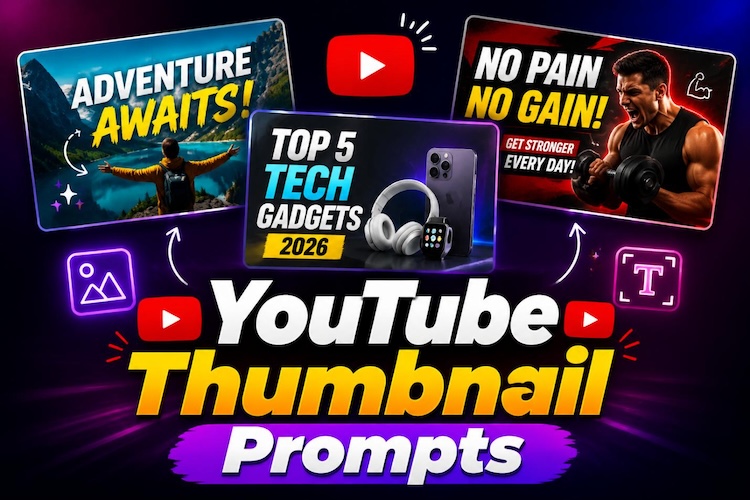
A great thumbnail can make the difference between someone clicking your video and scrolling past it. While AI image generators make thumbnail creation faster, the quality of the result still depends on how well you describe your idea. A well-structured YouTube Thumbnail Prompt can help create eye-catching visuals that match your video topic, style, and audience. In this guide, you'll learn how to write effective AI YouTube thumbnail prompts and explore 20 ready-to-copy YouTube thumbnail prompts for different video types and creative styles.
How to Write Better AI YouTube Thumbnail Prompts
Instead of asking an AI image generator to “make a YouTube thumbnail,” give it enough detail to understand the subject, composition, visual style, and overall purpose of the design. A structured YouTube thumbnail prompt can help you create more consistent results across different video niches.
YouTube Thumbnail Prompt Formula
A useful formula for writing AI YouTube thumbnail prompts is:
Subject + Video Topic + Composition + Emotion or Action + Background + Lighting & Color + Text Space + Visual Style + Aspect Ratio
You do not need to include every element in every prompt. Focus on the details that matter most for your video and make the main subject easy to recognize at a glance.
What to Include in a YouTube Thumbnail Prompt
Subject & Video Topic: Start with the main focus of the thumbnail and explain what the video is about. Specify whether you want a person, product, object, or scene. For example:
- A tech reviewer explaining new AI features
- A gaming character holding a rare item
- A smartphone displaying an AI editing app
- A fitness coach demonstrating a workout
Composition & Position: Describe how the main elements should be arranged. You can request a close-up portrait, centered product, split-screen comparison, or a subject positioned on one side with clear space for text. A clear composition can also make the thumbnail easier to understand at smaller sizes.
Emotion or Action: If your thumbnail features a person or character, describe the expression or action you want to show. Surprised, excited, confused, confident, and pointing are useful options for creating a strong visual focal point.
Background, Lighting & Color: Define the setting and visual atmosphere with details such as a clean studio background, dramatic lighting, bright colors, strong contrast, or a dark cinematic environment. Choose elements that support the video's topic without distracting from the main subject.
Text Space & Visual Hierarchy: Instead of asking the image generator to create a long headline, specify where you want text to appear. For example, ask for clear negative space on the right side for a short headline. Keep the main subject visually dominant so the thumbnail remains easy to scan.
Visual Style & Aspect Ratio: Add a style that matches your channel, such as photorealistic, cinematic, minimalist, illustrated, or modern YouTube thumbnail design. For standard YouTube thumbnails, specify a 16:9 aspect ratio.
YouTube Thumbnail Prompt Example
Create a modern YouTube thumbnail for a video about the newest AI smartphone. Feature a surprised technology reviewer holding the phone in a close-up portrait on the left, with a colorful tech background and glowing blue highlights. Leave clear space on the right for a short headline. Use dramatic cinematic lighting, high contrast, an ultra-sharp photorealistic style, and a 16:9 composition optimized for YouTube.
20 YouTube Thumbnail Prompts to Copy for Different Styles
Below are ready-to-use best prompts for YouTube Thumbnails organized by different styles. Feel free to customize colors, backgrounds, or text space to match your own channel branding.
Minimalist YouTube Thumbnail Ideas
Minimal designs remove distractions and help viewers immediately understand your video’s topic.

Create a clean YouTube thumbnail featuring two podcast hosts seated across from each other with microphones, soft studio lighting, blurred background, modern minimalist layout, neutral colors, headline space above, professional photography style.
Create a minimalist YouTube thumbnail showing a laptop displaying AI software, blue technology background, clean geometric design, subtle lighting, centered composition, modern typography.
Create a clean workspace featuring a laptop, notebook, coffee mug, and calendar, bright natural lighting, white background, organized layout, minimalist YouTube thumbnail with headline space.
Create a professional YouTube thumbnail showing a confident entrepreneur standing before business charts, modern office background, clean composition, elegant color palette, cinematic lighting, bold title space.
Best Suited For: Minimalist thumbnail prompts are ideal for educational creators, business professionals, technology reviewers, productivity channels, podcasts, and tutorial videos.
Eye-Catching Reaction Thumbnail Prompts
Large facial expressions consistently perform well because they immediately communicate emotion.
Create a YouTube thumbnail featuring an excited creator with an exaggerated surprised expression, colorful background, glowing highlights, dramatic lighting, energetic composition, bold headline space, and ultra-sharp.
Create a close-up portrait of a creator reacting with wide eyes and an open mouth while holding a new gadget, blurred colorful background, cinematic lighting, highly detailed facial expression.
Create a YouTube thumbnail showing a gamer celebrating victory with raised fists, bright neon lighting, gaming setup background, colorful energy effects, dynamic composition, YouTube style.
Create a dramatic YouTube thumbnail featuring a creator pointing toward a glowing object with a shocked facial expression, high contrast lighting, bold colors, and a modern click-worthy composition.
Best Suited For: Expressive reaction thumbnails work best for entertainment channels, gaming creators, challenge videos, reaction content, commentary, and viral storytelling.
Product Review YouTube Thumbnail Ideas
When reviewing or promoting products, the product itself should remain the visual focus while supporting elements help explain why viewers should click.
Create a YouTube thumbnail featuring a premium smartphone floating in the center with glowing reflections, a modern technology background, close-up product photography, and headline space on the left.
Create a split composition comparing two laptops with dramatic lighting, a clean white background, realistic reflections, comparison arrows, bold typography space, and photorealistic elements.
Create a cinematic YouTube thumbnail showing a professional mirrorless camera on a wooden desk with colorful RGB lighting, shallow depth of field, and premium product photography.
Create a modern YouTube thumbnail featuring a computer monitor displaying AI editing software, futuristic blue interface, clean composition, glowing effects, professional workspace, headline space.
Best Suited For: Product-focused thumbnails are perfect for tech reviewers, ecommerce creators, software educators, gadget channels, photographers, and buying guide videos.
Before-and-After Thumbnail Prompts
Before-and-after thumbnails instantly communicate transformation and results.
Create a YouTube thumbnail with a split-screen layout showing an unedited portrait on the left and a professionally edited portrait on the right, bright color contrast, glowing dividing line, clean headline space, photorealistic, optimized for YouTube 16:9.
Create a YouTube thumbnail featuring a before-and-after fitness transformation, split composition, gym background, dramatic lighting, bold contrast, motivational style, realistic photography, space for large title.
Create a split-screen YouTube thumbnail showing an old living room on the left and a modern renovated room on the right, with bright lighting, clean composition, premium interior photography, and YouTube-ready.
Create a YouTube thumbnail comparing a blurry AI-generated image on the left with a sharp enhanced version on the right, glowing divider, modern technology background, high contrast, professional thumbnail design.
Best Suited For: Before-and-after thumbnail prompts are commonly used for tutorials, fitness, photo editing, AI tools, home renovation, and product comparison videos because viewers can immediately see the difference.
Creative AI Thumbnail Prompts for YouTube
Stylized thumbnails help channels establish a recognizable visual identity.
Create a colorful Roblox-style YouTube thumbnail featuring a smiling block-style character running through a futuristic city, vibrant lighting, cartoon rendering, energetic composition, headline space, optimized for YouTube.
Create a bright cartoon-style YouTube thumbnail featuring a friendly creator pointing toward a glowing title area, clean vector illustration, vibrant colors, expressive facial features, modern social media design.
Create a cinematic fantasy YouTube thumbnail showing a wizard holding a glowing crystal inside an enchanted forest, magical lighting, rich colors, dramatic atmosphere, professional digital artwork.
Create a cyberpunk YouTube thumbnail featuring a futuristic gamer surrounded by neon lights, a holographic interface, glowing purple and blue effects, high-energy composition, cinematic lighting, and ultra-detailed visuals.
Best Suited For: Stylized thumbnail prompts are ideal for gaming creators, animation channels, fantasy storytellers, AI art showcases, and family-friendly content.
How to Create Click-Worthy YouTube Thumbnails with AI Prompts
Generating an AI image is only part of the process. Content creators also need thumbnails that match the finished video, include readable text, and fit YouTube’s recommended layout.
HitPaw Edimakor's AI thumbnail maker streamlines this workflow by allowing you to create and customize thumbnails while editing your video, so you don’t need separate design software.


Step 1: Upload Your Video
Open HitPaw Edimakor and import the video for which you want to create a thumbnail. Once the project is loaded, access the thumbnail creation feature from the editing interface.
Step 2: Design Your Thumbnail
Click “Set Video Thumbnail” and let Edimakor analyze your video and suggest suitable thumbnail layouts. Select the design that best matches your content and audience.
Step 3: Customize Your Design
Edit the thumbnail by replacing image frames from your video, or using the "AI design" feature to create a stronger visual focus. Give your video topic and let Edimakor finish your design.
Step 4: Export and Share
Click "Generate," then preview the finished thumbnail, export it in high resolution, and upload it together with your YouTube video. A sharp, well-designed thumbnail can improve visibility and encourage more viewers to click.
FAQs about YouTube Thumbnail Prompts
A1: Yes. Gemini AI can generate high-quality thumbnail images when provided with detailed prompts. Including information about the subject, composition, lighting, visual style, and attention-grabbing elements in your thumbnail prompt examples typically produces better results.
A2: Use a structured format that includes the subject, video topic, composition, visual style, and attention elements. This approach helps generate more consistent and professional-looking thumbnails than simple one-line descriptions.
A3: Several AI tools can generate thumbnails, but the best choice depends on your workflow. Gemini AI is excellent for image generation, while HitPaw Edimakor combines thumbnail creation with video editing, allowing creators to design thumbnails without leaving the editing process.
A4: Use bold colors, readable layouts, expressive facial expressions when appropriate, strong contrast, and minimal text. Combining a detailed prompt with manual refinement inside Edimakor can produce thumbnails that are both visually appealing and optimized for clicks.
Conclusion
A strong YouTube thumbnail prompt can turn a simple idea into a clear, attention-grabbing visual that fits your video. With the right subject, composition, style, and text space, you can create more effective YouTube thumbnail designs for different types of content. After generating your thumbnail, HitPaw Edimakor lets you customize and export it alongside your video, making it easier to maintain a consistent look across your YouTube channel.
Leave a Comment
Create your review for HitPaw articles