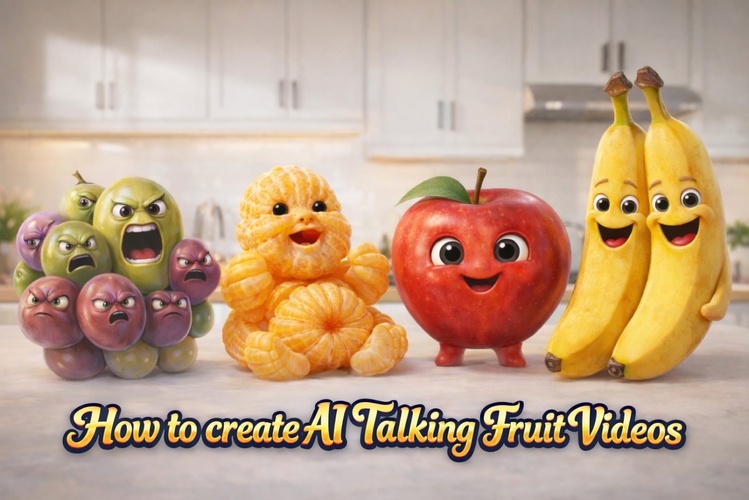
Ever scrolled through Instagram or TikTok and stopped because an apple or a banana started talking? That’s why the AI talking fruit video trend is exploding in 2026. These videos are funny, surprising, and highly shareable. From talking fruit for babies to comedy and educational clips, creators are turning simple images, like an AI fruit apple, into expressive, lip-synced characters. In this guide, you’ll learn how to create an AI talking fruit video step by step.
@gigglytoon Baby Orange vs Baby Onion eating????????????#ai#satisfyingvideos#eating#asmr#orange ♬ الصوت الأصلي - baby cute
Part 1: What Is an AI Talking Fruit Video?
An AI talking fruit video is a short video that uses AI to make a fruit character appear to speak, usually with synchronized mouth movements, facial expressions, and an AI-generated or recorded voice. You can start with a simple fruit image, such as an apple, banana, or orange, and use AI animation and lip-sync tools to turn it into a talking character.
These videos are commonly used for funny clips, educational content, short-form social media posts, and creative storytelling. The basic workflow is simple: create a fruit character, prepare its dialogue and voice, then animate the image with lip-sync.
Part 2: Step-by-Step Tutorial to Create an AI Talking Fruit Video
Before jumping into any specific software, it’s important to understand the general AI workflow behind a talking fruit AI video. Almost all successful videos follow the same three-stage process: image creation, voice generation, and video animation.
Step 1: Generate a Fruit Image with AI
Every AI talking fruit video starts with a strong image. The quality of this image directly affects how realistic and natural the final talking animation looks.

“A lifelike apple character featuring a subtle human-style face, bright and expressive eyes, natural fruit texture, balanced lighting, front-facing angle, clean background, and ultra-clear image quality suitable for animation.”What kind of image works best?
- One single fruit (apple, orange, banana, etc.)
- Front-facing or slightly angled view
- Clear facial area for eyes and mouth
- Simple or blurred background
You can easily adapt this for talking fruit apple, talking fruit orange, or even talking about fruits and vegetablesbs by changing the fruit name and style.
Step 2: Convert the Image into a Talking Video
Once the image is ready, the next step is turning it into motion. There are two common AI approaches used across the industry.
Method 1: AI Image-to-Video Generation
In this method, the AI animates the fruit image directly into a short video. You provide:
- The image
- A short prompt describing movement and emotion
- Optional voice or dialogue instructions
A cheerful animated fruit character speaking in a friendly, upbeat tone. The fruit has accurately lip-synced mouth movements matching the speech, gentle head motion, a warm smile, and a mostly still body. The expression is friendly and engaging. The camera is steady, the lighting is soft and even, and the background is clean and minimal. The video is vertically oriented (9:16). The character says: “Hey! Did you know fruits adore being eaten fresh?”
This approach is fast and works well for talking fruit videos, talking fruit TikTok, and humorous clips.
Method 2: Text-to-Speech + Lip-Sync Animation
This method gives more control. The process looks like this:
- Write a short script
- Convert it into an AI voice (or record your own)
- Upload the image and audio into a talking-photo or lip-sync AI tool
- Generate a video with synchronized mouth movement
Generate a short talking fruit video where the perfect lip sync movements align naturally with the audio, and facial expressions appear warm and engaging. Head motion is soft and controlled. The camera is steady, and overall, the animation looks smooth and realistic.
Whichever method you choose, HitPaw Edimakor can handle the entire process in one place, from creating fruit images and generating AI voices to animating facial movements and exporting ready-to-post videos, making it easy to produce high-quality AI talking fruit videos consistently.
Part 3: Best Tool to Create AI Talking Fruit Videos
HitPaw Edimakor is an all-in-one solution for creating AI talking fruit videos. Instead of switching between multiple tools, it brings AI image generation, animation , voice creation, and lip-sync together in one streamlined workflow. This makes the entire process faster, simpler, and more beginner-friendly—while still delivering professional results.
In the following section, we’ll walk you through a step-by-step tutorial on how to create your own AI talking fruit video using HitPaw Edimakor.


Step 1: Create an AI Image
- Open HitPaw Edimakor
- Access AI Image
- Use text-to-image to generate your fruit character
Step 2: Turn the Image into a Talking Video
You have multiple options inside HitPaw Edimakor:
Option A: Image-to-Video
- Choose AI Video → Image-to-Video
- Select advanced models (Veo 3/ Kling support audio)
-
Add motion prompts and optional voice
Option B: AI Avatar – Make Photos Talk
- Upload the fruit image
- Add text, AI voice, or your own voice
-
Generate precise
lip-sync animation
Step 3: Generate & Share
- Export in vertical format
- Add subtitles if needed
- Share directly on TikTok, Instagram, or YouTube Shorts
 Key Advantages of HitPaw Edimakor:
- Multiple AI image & video models (some with built-in audio)
- Large AI voice library
- Professional lip-sync accuracy
- Can even make images sing
- No need for third-party tools
Part 4: AI Talking Fruit Prompts and Video Ideas
Once you have your fruit character ready, the next step is to give it a personality and a reason to talk. A good AI talking fruit prompt should describe the fruit's appearance, expression, setting, personality, and what it should say or do. Keep the character visually simple and the dialogue short for more natural results.
Funny Talking Apple Prompt
Prompt:
Create a photorealistic red apple character with expressive eyes and a friendly face, sitting on a kitchen table. The apple looks slightly annoyed but playful and speaks directly to the camera: “Why does everyone keep saying I’m the teacher’s favorite?” Use natural facial expressions, subtle head movement, and accurate lip sync.
Talking Banana Prompt
Prompt:
Create a realistic yellow banana character standing on a bright kitchen counter. Give it a cheerful and energetic personality. The banana looks at the camera and says: “I may be easy to peel, but I’m not easy to beat!” Add natural gestures, subtle body movement, and synchronized speech.
Funny Fruit Dialogue Prompt
Prompt:
Create a short comedy scene featuring a talking strawberry and a talking orange having a playful argument about which fruit is more popular. Give each fruit a distinct personality and voice. Keep the dialogue short, the expressions exaggerated but natural, and the camera focused on the characters.
Educational Talking Fruit Idea
Turn a fruit into a simple educational character. For example, a talking apple can explain a nutrition fact, while a talking banana can share a quick health tip. Use a clear voice, simple background, and short sentences to keep the video easy to follow.
Talking Fruit Story Idea
Create a short conversation between two or more fruits, such as an apple and a banana meeting in a kitchen. Give each character a different personality, voice, and role, then combine their dialogue into a short story for TikTok, YouTube Shorts, or Instagram Reels.
Part 5: Tips for Creating Better Talking Fruit Videos
1. Use Strong and Clear Prompts
Always describe the facial expression, speaking style, and camera stability in your prompt. Clear instructions help the AI generate smooth mouth movement and natural expressions, preventing awkward or distracting animations.
2. Frame the Image Properly
Keep the fruit’s face centered and leave enough space around the mouth. If the mouth is too close to the edge, lip-sync may look broken or unnatural—one of the fastest ways to lose viewer attention.
3. Keep the Script Clean, Short, and Hooked
Short scripts work best. Aim for 7–10 seconds of dialogue to maintain clean lip movement and loop-friendly playback. Start with a strong hook in the first 1 second, such as “Hey…”, “Stop scrolling…”, or “Did you know…?” to instantly grab attention.
4. Optimize for Platform Format and Viewing Habits
Always use a vertical 9:16 format, which performs best on TikTok and Instagram Reels. Add large, bold captions, since many users watch without sound. Clear text ensures your message lands even on mute.
Conclusion
The AI talking fruit video trend is not just a fad; it’s a proven short-form content format that blends creativity, humor, and AI efficiency. By understanding the core workflow and using an all-in-one solution like HitPaw Edimakor , you can easily create high-quality talking fruit AI content without technical complexity.
Whether you’re making talking fruit for babies, AI fruit apple, educational clips, or viral entertainment, this approach allows you to scale content faster and smarter in 2026.
Leave a Comment
Create your review for HitPaw articles