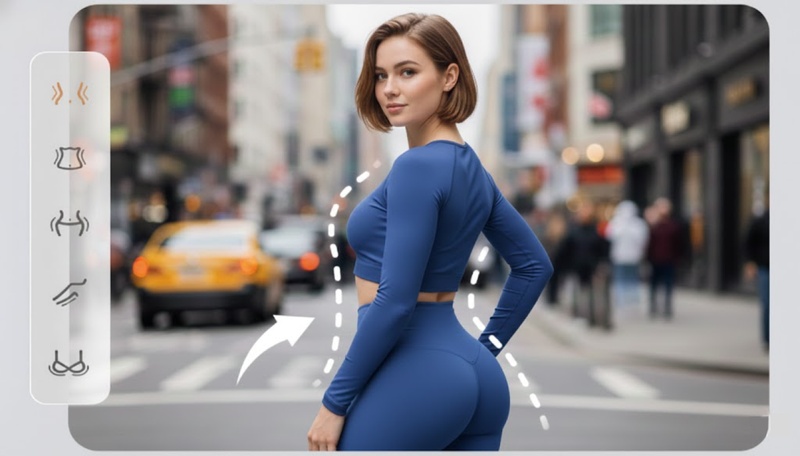
A video body editor is a specialized software or mobile application that uses Artificial Intelligence to modify the physical appearance of a person in a Video. Unlike traditional photo editing, video body editing is far more complex. It is the aim of this guide to review video body editors 2026.
Part 1: Best 8 Video Body Editors (Apps & Software)
Whether you are a social media influencer or a professional filmmaker, these tools use AI to track movement and adjust physical proportions seamlessly. Here are the top 8 best video body editors categorized by their strengths and platforms:
1. PrettyUp (Mobile & Online)
PrettyUp is arguably the most specialized video body editor app for video-based body and face editing. Developed by Pixl Concerto Technology (also known as accordion), it has become a go-to tool for creators who need high-precision body reshaping that looks natural during movement.
 Pros
Pros
- Best-in-Class Background Protection: The AI is excellent at isolating your body so that the background (like tiled floors or door frames) doesn't "warp" or "melt" when you slim your waist or legs.
- Temporal Stability: Unlike cheaper apps where the edits "flicker" as you move, PrettyUp maintains a consistent shape across every frame of the video.
- Unique Muscle & Detail Tools: It goes beyond simple slimming; you can add realistic muscle definition, abs, and even use the new "AI Hands" feature to slenderize fingers.
- Multi-Subject Editing: It can detect and edit multiple people in a single video, which is rare for mobile body editors.
 Cons
Cons
- No User Account System: This is a major drawback. PrettyUp does not use cloud accounts. If you delete the app or switch phones, you will lose your saved drafts and potentially your VIP access unless you manually restore it through the App Store/Play Store.
- Subscription Issues: Many users report bugs where the app "forgets" they paid for VIP. Because there is no account login, fixing this can be frustrating and often requires reaching out to support (which some users find slow).
- Hardware Intensive: Editing 4K video with AI body tracking requires significant processing power. Older phones may experience crashes, lag, or long export times.
- Privacy Tracking: Like many free-to-start beauty apps, it collects data types like Identifiers and Usage Data which can be used to track you across other apps and websites.

2. CapCut (Mobile/PC)
CapCut (owned by ByteDance, the parent company of TikTok) has transformed from a simple video body editor for android into a massive AI-powered creative suite. While it is a general video editor, its "Retouch" and "AI Body" features are incredibly popular for their ease of use and viral-ready results.
Pros
- High Performance: CapCut is exceptionally well-optimized. It can handle 4K 60fps video editing on mid-range smartphones and PCs without the heavy lag seen in other AI apps.
- Massive Template Library: You can find "body transformation" templates created by other users, allowing you to apply complex edits and music transitions with a single tap.
- Cross-Platform Sync: You can start an edit on your phone during a commute and finish it on the CapCut Desktop app with all your progress saved in the cloud.
- Free-to-Use Core: Unlike PrettyUp, CapCut’s basic body retouching tools are largely free, though "Pro" features offer more precise AI tracking.
- TikTok Integration: Direct export to TikTok can sometimes bypass certain copyright or quality issues, and it automatically removes the CapCut watermark if shared directly.
Cons
- Lighting Sensitivity: If the video is too dark, the AI might lose track of your limbs, causing the "slimmed" area or the "glow" effect to flicker or glitch.
- Over-Processing: Applying too many body effects can make the subject look like a cartoon or a 3D model, losing the "human" feel of the video.
- Battery & Heat: Running complex AI body tracking is resource-intensive; it can cause your phone to heat up and drain the battery quickly during long editing sessions.
3. Meitu (Mobile)
Meitu is one of the world's most popular "all-in-one" photo and video body editors for iPhone, particularly dominant in Asia. While it started as a pioneer in selfie beautification photos, its updates have made it a heavy-hitter in AI-driven video body retouching.
Pros
- User-Friendly: Highly intuitive interface with "level" sliders for beginners.
- Realistic AI Tracking: Excellent at keeping edits pinned to your body even with fast movement.
- Versatile Toolkit: Combines body editing, professional video trimming, and artistic filters in one app.
- High Performance: Smooth handling of 4K video on most modern smartphones.
Cons
- Data Privacy: Long-standing concerns regarding the high amount of data it collects (Location, Device IDs, WiFi info).
- Aggressive Ads: The free version is heavily interrupted by pop-up advertisements.
- Paywalled Features: Many of the best AI tools (like hair correction and advanced reshaping) require a VIP subscription.
- Occasional Lag: Can struggle with storage; users report "damaged drafts" if phone space is low.
4. YouCam Video (Mobile)
YouCam Video (by Perfect Corp.) is a top-tier video retouching app that specializes in "beauty-first" editing. While competitors like CapCut focus on transitions and effects, YouCam is designed specifically to make the person in the video look like they were filmed with a professional glam squad and a high-end beauty filter.
Pros
- Industry-Leading Tracking: The makeup and face-tuning rarely "flicker," even during complex movement or when hair crosses the face. Aggressive
- Subtle "Natural" Results: Unlike other apps that can look "plastic," YouCam focuses on realistic lighting and textures.
- All-in-One Portrait Suite: Excellent integration of face, body, hair, and skin retouching in a single workflow.
- High-Quality Upscaling: The AI Enhancer is genuinely effective at cleaning up blurry or dark social media clips.
Cons
- Subscription Model: Almost all advanced body and beauty tools are locked behind a "Premium" paywall.
- Confusion with AI Credits: Even with a subscription, high-end generative AI features (like AI Outfit Swap) often require extra "credits."
- Privacy & Background Warping: While it has body tools, it is slightly less effective than PrettyUp at preventing background warping during heavy reshaping.
- Device Heating: The heavy AI processing can cause older smartphones to get quite hot during long editing sessions.
5. PowerDirector (Mobile/PC)
PowerDirector (by CyberLink) is a powerhouse in the consumer video editing space, balancing professional-grade timeline tools with heavy AI automation. It has solidified its position as the best "bridge" software—sitting between simple video body editor free like CapCut and complex professional suites like Adobe Premiere.
Pros
- Speed & Performance: Widely known for having the fastest rendering speeds in the industry, even with heavy AI effects.
- Comprehensive Toolset: You get professional timeline editing, color grading, and audio cleaning in one package.
- Cross-Platform Sync: Start an edit on your phone, upload to CyberLink Cloud, and finish with advanced tools on your PC.
- Stock Library Access: Includes a massive library of Getty Images and Shutterstock content (for 365 subscribers).
Cons
- Subscription Focus: While "Ultra" and "Ultimate" lifetime versions exist, the best AI tools are locked behind the 365 Subscription.
- UI Overload: The interface is packed with buttons and menus, which can be overwhelming for total beginners.
- Hardware Requirements: Some AI features, such as 4K upscaling and body tracking, require a modern CPU/GPU to run smoothly.
- Windows vs. Mac Gap: Some of the most advanced "Body Shaper" and AI tools still arrive on Windows slightly before they hit the Mac version.
6. Adobe Premiere Pro (Professional PC)
Adobe Premiere Pro is the industry-standard nonlinear editing (NLE) software used by everyone from YouTube creators to Hollywood filmmakers. Adobe has integrated advanced AI features through Adobe Sensei and the Firefly Video Model, making complex body and object manipulation more accessible than ever.
Pros
- Professional Precision: You have total control over every pixel. You can perform "invisible" body edits that mobile apps simply cannot match.
- Industry Standard: Learning Premiere Pro is a professional skill. It is widely used in the professional video production industry.
- Firefly AI Integration: Adobe's latest AI features let you use text prompts to change lighting, textures, or even background elements behind a person.
- Ecosystem Synergy: You can "Dynamic Link" a clip to After Effects for surgical-level body reshaping (Liquify tool) and see the results instantly in Premiere.
Cons
- Steep Learning Curve: It is not a "one-tap" app. You need to understand masks, keyframes, and the timeline to get the most out of it.
- High Subscription Cost: There is no "free" version. Prices start at roughly $22.99/month (Single App) or $59.99+/month (Creative Cloud).
- Hardware Intensive: Some AI features, such as 4K Generative Extend, require a powerful PC or Mac with sufficient RAM and a compatible GPU.
- No Perpetual License: You can never "own" the software; the moment you stop paying the subscription, you lose access to the program.
7. Lensa (Mobile)
Lensa AI (by Prisma Labs) is widely known for its viral "Magic Avatars," but it has evolved into a comprehensive AI portrait and video editor. While it excels at facial retouching and stylized effects, its body editing tools are more about enhancement and polish rather than the heavy structural reshaping found in apps like PrettyUp.
Pros
- High Realism: Edits look natural and rarely "glitch," avoiding the plastic look of other editors.
- Excellent UI: One of the cleanest and most beginner-friendly interfaces on the market.
- Separate BG/FG Tuning: You can change the lighting on your body without making the background look washed out.
- Consistent Tracking: The AI maintains a "locked" mask on your body even when you move quickly or the lighting changes.
Cons
- Limited Structural Editing: Lensa doesn't offer the aggressive "slim/tall/muscle" sliders that competitors like PrettyUp or Meitu do.
- Expensive Subscription: Most AI features require a subscription (approx. $29.99/year), and "Magic Avatars" often cost extra.
- Privacy Concerns: Historically, Lensa has faced criticism regarding user data and facial biometrics storage.
- No True Free Version: While free to download, you essentially cannot save or use advanced AI tools without the 7-day trial or a paid plan.
8. Facetune Video (Mobile)
Facetune Video (from Lightricks) is the video-specific sibling of the world-famous Facetune photo app. The two have largely merged into one "super-app," but its video processing remains its most impressive feat. Unlike apps that focus on background effects or stickers, Facetune is a "digital plastic surgeon" for your face and body in motion.
Pros
- Effortless Workflow: No frame-by-frame editing required; the AI handles the tracking for you.
- Natural Results: While it can be used for "heavy" edits, it excels at video body editor without watermarks, subtle, high-end "glow-ups" that look professional.
- Lighting Correction: Its "Relight" feature can actually simulate a studio light moving around your face in a 3D space.
- Privacy Features: Lightricks has introduced more transparent "Safety by Design" frameworks regarding how biometric data is used.
Cons
- Subscription-Heavy: Almost all meaningful video tools require a paid subscription (approx. $30–$60/year).
- Android Latency: Users still report that the iOS version receives features earlier and runs more smoothly than the Android version.
- Limited Video Length: Better suited for short-form clips (TikToks/Reels) rather than long YouTube videos or films.
- Device Heat: Processing AI edits across every frame can make your phone quite hot during long sessions.
Part 2: How to Remove a Watermark from a Body Edited Video
After reshaping or retouching your body, you may notice a watermark from the editing app on the final video. If you want a clean result for personal use or further editing, you can remove the watermark with a video editing tool.
Edimakor AI Video Editor:
Unlike basic editors that simply "blur" a logo, Edimakor AI uses Content-Aware AI. It analyzes the surrounding pixels and "inpaints" the area, essentially recreating the background that was hidden behind the watermark. This is particularly useful for videos with reshaped bodies, as it can remove a logo near a limb or waistline while maintaining the natural texture of the skin or clothes.
Key Features:
- AI-Based Detection: It can automatically scan a video to identify common watermarks, text overlays, or date stamps, saving you from having to manually select them.
- Four Removal Modes:
- AI Model: Uses deep learning for the cleanest results (best for complex backgrounds).
- Matte Filling: Copies a "clean" part of the video to cover the watermark.
- Color/Smooth Filling: Best for solid backgrounds or simple gradients.
- Gaussian Blur: The traditional method for quick, less precise fixes.
- Moving Watermark Support: It can track watermarks that float or move across the screen, ensuring the removal "sticks" to the logo as it moves.
- Multi-Object Removal: You can remove multiple watermarks, logos, and even unwanted people or objects from the same video simultaneously.
Here's how to remove watermark from body reshaped video using the Edimakor AI watermark remover:
Step 1: Launch the Edimakor AI software on your computer and select " Watermark Remover " from the main menu.


Step 2: Import your video.
Step 3: Drag the editing box to the watermark area on your video and hit the “Remove” button.
Step 4: The AI automatically removes the watermark on your video. You can click on the “Play” icon on your result to preview before saving or just hit the “File” icon to save and share.
Extra Tips: Best Solution to Reshape Boby in Photos
Body reshaping is not limited to videos. If you also want to adjust your figure in photos, AI-powered photo editors can make the process much easier. Instead of manually warping different areas, you can use AI tools to reshape your body while keeping the overall image looking natural.
Edimakor AI Image to Image Tool:
Edimakor AI Image to Image Tool, which is a part of the HitPaw Edimakor ecosystem, has become a major competitor to tools like Midjourney and Canva Magic Studio. It allows users to take an existing photo and use AI to transform its style, structure, or content while maintaining the core composition of the original image.
Key Features:
- Character Consistency: Edimakor’s latest engine is specifically designed to keep "facial identity" intact. If you transform a photo of yourself, the AI ensures the result actually looks like you rather than a generic person.
- Prompt-Guided Editing: Unlike simple filters, you can use text to tell the AI exactly what to change. For example: "Change the background to a snowy mountain and make my jacket neon blue."
- High-Resolution Output: Supports up to 2K HD and 4K exports, making the images suitable for professional posters, thumbnails, and high-quality social media posts.
- Image-to-Video Bridge: Edimakor allows you to take your newly generated AI image and instantly convert it into a 6–8 second video with natural movement (blinking, breathing, hair swaying).
Here's how to edit body in photos with Edimakor AI Image to Image Tool:
Step 1: On the Edimakor AI software, go to the Toolbox and select “Image” and select “Reference Image”.
Step 2: Import your reference photo.
Step 3: Scroll down and enter your prompt and select image resolution, aspect ratio and output quality before hitting the “Generate” button.
Step 4: Drag and drop your result to the timeline to preview it, you can click on the camera icon to save and share.
FAQs on Video Body Editors
A1: Finding a completely free ai video body editor that doesn't leave a watermark is a challenge because high-end AI body tracking is expensive for developers to maintain. Most specialized apps (like PrettyUp or YouCam) will lock their "no-watermark" export behind a subscription.
A2: Yes, you can edit your body in real-time in 2025 using video body editor apk, video body editor online or video body editor for pc, though the technology is split into two categories: Social Media Filters (which are automated) and Professional Virtual Cameras (which you can use for live streaming and video calls).
A3: Yes, editing your body can cause the background to look distorted—this is known as the "warp effect." When you push or pull the pixels of your body (like slimming a waist), the background pixels directly behind those areas are often dragged along with them.
A4: For beginners in 2025, the "best" editor depends on whether you want an all-in-one social media tool or a specialized body sculpting app. We have reviewed a few in this article, based on ease of use, AI power, and cost. (See Part 1)
A5: To edit your body in a video, choose a video body editor that supports body reshaping. Upload your video, select the areas you want to adjust, such as your waist, arms, legs, or overall figure, and fine-tune the shape. Then preview the result to make sure the body edits look natural before exporting the video.
Conclusion
Video body editors are no longer just about "vanity." While they still offer aesthetic enhancements, their uses have expanded into professional branding, creative filmmaking, and e-commerce. If you want to remove a watermark from a body edited video, Edimakor AI can help you clean it up with its AI Watermark Remover. You can also use its AI Image Editor to edit and reshape bodies in photos.
Leave a Comment
Create your review for HitPaw articles